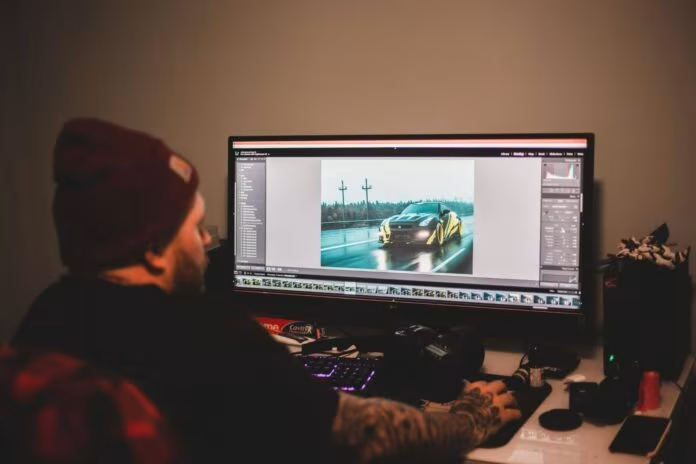
Every photo can have small imperfections that take attention away from the main subject. A stranger may appear in the background, an unwanted object may cover part of a scene, or clutter may make an otherwise attractive image look untidy. Traditional photo editing can fix these issues, but it often requires patience, technical skills, and the right software.
Artificial intelligence is making this process much simpler. Modern AI image editing tools can understand different parts of a photograph and remove unwanted elements while rebuilding the background around them. This makes it possible for everyday users to clean up pictures without spending hours learning complex editing techniques.
From casual smartphone photos to professional images, AI-powered cleanup tools are becoming a useful part of modern photo editing.
What Does It Mean to Clean Up a Picture?
Cleaning up a picture usually means removing unwanted visual elements or improving parts of an image that distract from the main subject. This could involve removing people in the background, objects on a table, signs, wires, marks, or other unwanted details.
The goal is not necessarily to change the entire photograph. In many cases, the best edit is a small one that makes the original image look cleaner while keeping its natural appearance.
AI can make this process easier by identifying the selected object and filling the empty space with pixels that match the surrounding area.
How AI Object Removal Works
AI cleanup tools generally use a combination of computer vision and image-generation technology. When a user marks an unwanted object, the system first analyzes the area around it.
It looks at nearby colours, textures, shapes, and patterns to understand what might naturally appear behind the object. The AI then generates replacement content designed to blend with the surrounding scene.
For example, if a person is removed from a photograph taken on a beach, the system may use nearby sand, water, and sky patterns to fill the space. The result can look much more natural than simply blurring or cropping the area.
Removing Unwanted People From Photos
People appearing unexpectedly in the background are one of the most common reasons someone may want to clean up a photograph. This often happens at tourist attractions, parks, restaurants, public events, and busy streets.
Cropping can sometimes solve the problem, but it may also remove an important part of the composition. AI removal provides another option by allowing the unwanted person to be erased while keeping the original framing.
This is especially useful when the main subject is positioned perfectly and changing the crop would make the image less balanced.
Cleaning Up Travel Photography
Travel photos often contain beautiful scenery, but crowded locations can make it difficult to capture a completely clear view. Tourists, vehicles, signs, bins, and other objects may appear in places where they were not wanted.
AI editing can help reduce this visual clutter. A user can select an unwanted element and allow the software to reconstruct the area behind it.
This can be particularly helpful when a photograph captures a memorable location but contains distractions that were impossible to avoid when taking the picture.
Improving Product and Business Images
Photo cleanup is also useful for businesses. Product photographs may contain small distractions such as cables, marks, packaging materials, or objects that were accidentally included in the frame.
Cleaning these elements can make product images look more focused and professional. However, businesses should be careful not to remove important product information or alter the actual appearance of an item in a misleading way.
For simple background cleanup, AI can save considerable editing time.
Fixing Small Visual Distractions
Not every cleanup task involves removing a large object. Sometimes a photo only needs a few small changes.
Examples include removing:
- Dust spots
- Small stains
- Stray objects
- Electrical wires
- Background clutter
- Unwanted signs
- Minor marks
- Random objects on surfaces
These small changes can have a surprisingly large effect on the final image. Removing a distracting detail can help the viewer focus on the subject instead of noticing something unrelated.
Why AI Cleanup Is Faster Than Manual Editing
Traditional editing methods often require users to carefully select an object, copy nearby areas, blend textures, and make repeated adjustments. The process can be effective, but it takes time.
AI can automate much of this work. After selecting an unwanted element, the software can analyze the surrounding image and generate a replacement area automatically.
This does not mean every result will be perfect. Complex backgrounds can still require manual correction. However, AI can provide a useful first result that would otherwise take much longer to create.
How to Get Better Results From AI Cleanup Tools
The quality of an AI edit often depends on how clearly the unwanted object is selected. Users should avoid selecting a much larger area than necessary because this can remove useful background details.
It is also helpful to work with a reasonably high-quality original image. Very small or heavily compressed photos contain less information for the AI to analyze.
For detailed projects, making several small edits can produce better results than trying to remove many objects at once.
Keeping Edited Photos Natural
One of the biggest challenges in AI photo editing is making sure the final image does not look artificial. An editing tool may occasionally create unusual textures, repeated patterns, or shapes that do not belong in the original scene.
After cleaning up a photo, zoom in and inspect the edited area carefully. Look for repeated textures, strange edges, inconsistent shadows, or changes that do not match the rest of the photograph.
If something looks unusual, reducing the selection or trying the edit again may produce a better result.
Cleanup Pictures Without Losing the Original
It is always a good idea to keep the original photograph before applying AI edits. This gives you a backup if the result does not look right.
For important photographs, save the original file separately and work on a copy. This simple habit allows you to experiment without permanently changing the source image.
It also makes it easier to compare the edited and original versions and decide whether the cleanup actually improves the photograph.
AI Cleanup for Social Media Content
Social media users often want clean, attractive images that communicate an idea quickly. A distracting background element can reduce the visual impact of a post.
AI editing can help creators prepare photos before sharing them. For those looking for simple ways to cleanup pictures, AI-powered editing can remove unwanted objects while preserving the main composition.
This can be useful for travel creators, photographers, small businesses, influencers, and everyday users who want their images to look more polished.
Privacy Matters When Editing Photos Online
When using online AI editing services, users should also think about privacy. Photos may contain faces, personal locations, documents, or other sensitive information.
Before uploading a private image, check the service’s privacy policy and understand how uploaded files are handled. Important questions include whether images are stored, how long they are kept, and whether they are used to improve the service.
Being aware of these details is especially important when editing family photographs or other private content.
AI Is Supporting, Not Replacing, Human Creativity
AI can handle many technical editing tasks, but human judgment remains important. A tool may remove an object successfully while still producing a result that does not match the photographer’s original intention.
Creative decisions such as composition, mood, colour, lighting, and storytelling still depend heavily on the person editing the image.
The best approach is to treat AI as an assistant. It can handle repetitive cleanup work while the user remains responsible for deciding what should stay, what should be removed, and how the final photograph should feel.
The Future of AI Photo Cleanup
AI image editing is developing quickly. Future tools are likely to become better at understanding complex scenes, preserving fine textures, and making realistic changes with fewer user instructions.
As these systems improve, photo cleanup may become a normal part of everyday photography. Users may be able to correct complicated backgrounds, restore damaged images, and make detailed improvements with simple instructions.
The technology will also continue to raise questions about authenticity, especially when AI edits change important parts of a photograph. For personal images, this may not matter much, but news, documentary, and commercial photography may require clearer standards around editing.
Conclusion: A Practical Tool for Cleaner Photos
AI-powered photo cleanup offers a convenient way to remove unwanted elements and improve the overall appearance of an image. Whether the problem is a person in the background, a distracting object, or a small visual mark, modern tools can often handle the correction in seconds.